Releases: minbrowser/min
Releases · minbrowser/min
1.28: Multi-window support

New in this (long-delayed) release:
- Multi-window support: One of the longest- and most-requested features finally works in Min. Your open tasks are shared across windows, so you can see all of your open tabs at once, and you can use the task overlay to drag-and-drop tabs between windows.
- Numerous updated translations - thank you to everyone who contributed!
- Improved the spacing and alignment of the tab bar (By @RubenSmn)
- Improved result previews for full-text search results.
- Fix: printing a PDF now works again.
- Fix: Fullscreen didn't work on some embedded videos.
- Updated Chromium.
Contributors

RubenSmn
Assets 11
1.28.0-beta
- Support for opening multiple windows
- Bug fixes
Please report any issues you find: https://github.com/minbrowser/min/issues/new
1.27.0
- Added an setting to choose whether to re-open tabs on startup.
- Fixed an issue where installation on Linux would sometimes fail.
- Fixed an issue where the "use separate titlebar" setting didn't work correctly on macOS.
- Translation updates
- Upgrade to a newer version of Chromium
Also, if you previously followed Min on Twitter, check out our new Mastodon account, where I'll post occasional updates and new release announcements.
1.26.0
- Added a context menu to bulk-edit bookmark tags:

- Enabled pinch-zoom for trackpads
- Translation updates (@lsnepomuceno, @sreco, @smarquespt)
- Security fix (reported by @Harsith-Panda)
- Updated to Chromium 104 / Electron 20
Contributors


smarquespt, lsnepomuceno, and 2 other contributors
Assets 11
1.25.1: Bug fixes
- Fixes errors during installation and startup in 1.25.0.
1.25.0
- Switching to tasks in the searchbar with the
!taskor!movetotaskcommands now shows a list of all of your open tasks (@flightmansam) - On macOS, Min now supports Handoff for moving webpages between devices.
- Support for 1Password now works more reliably, and supports newer versions of the 1Password CLI tool. If you have an old version installed, you may be prompted to install a newer version after updating.
- Fixed some compatibility issues with password autofill.
- Pressing f12 now opens the developer tools.
- Fixed an issue where text wasn't selectable in some PDF files.
- Improved the build system (@cog1to)
- Many translation updates (@ekimmerst, @xephtar, @edudebortoli, @humaidanhamad, @jumps-are-op, @lucafisc, @kant, @BlueManCZ)
Contributors


kant, cog1to, and 7 other contributors
Assets 10
1.25.0-beta
This release includes primarily bug fixes, but also changes to the way Min is compiled and packaged. If you run into issues installing it, please file an issue.
1.24.0
- On macOS, you can now rearrange tabs in the tab bar by holding down the command key and dragging.
- And on Windows and Linux, dragging-and-dropping tabs now works more reliably.
- Enabling the dark mode in Min now also enables dark mode on websites that support it.
- Improved the touchbar layout on macOS.
- Fixed an issue where Min couldn't be set as the default browser on macOS.
- Fixed an issue where an error message would appear when loading pages for some users.
- Added Belarusian translation (@MaximFedarau)
- Updated Chromium to address security issues.
Contributors

MaximFedarau
Assets 10
1.23.1: Bug fixes
- Fixed an issue that prevented Google Drive from loading.
- Translation updates and minor bug fixes.
1.23: Custom new tab backgrounds
Custom new tab backgrounds
You can now pick you own image background for Min's new tab page. To do so, click on the camera icon in the bottom-right corner of a new tab, and pick any image file on your computer.

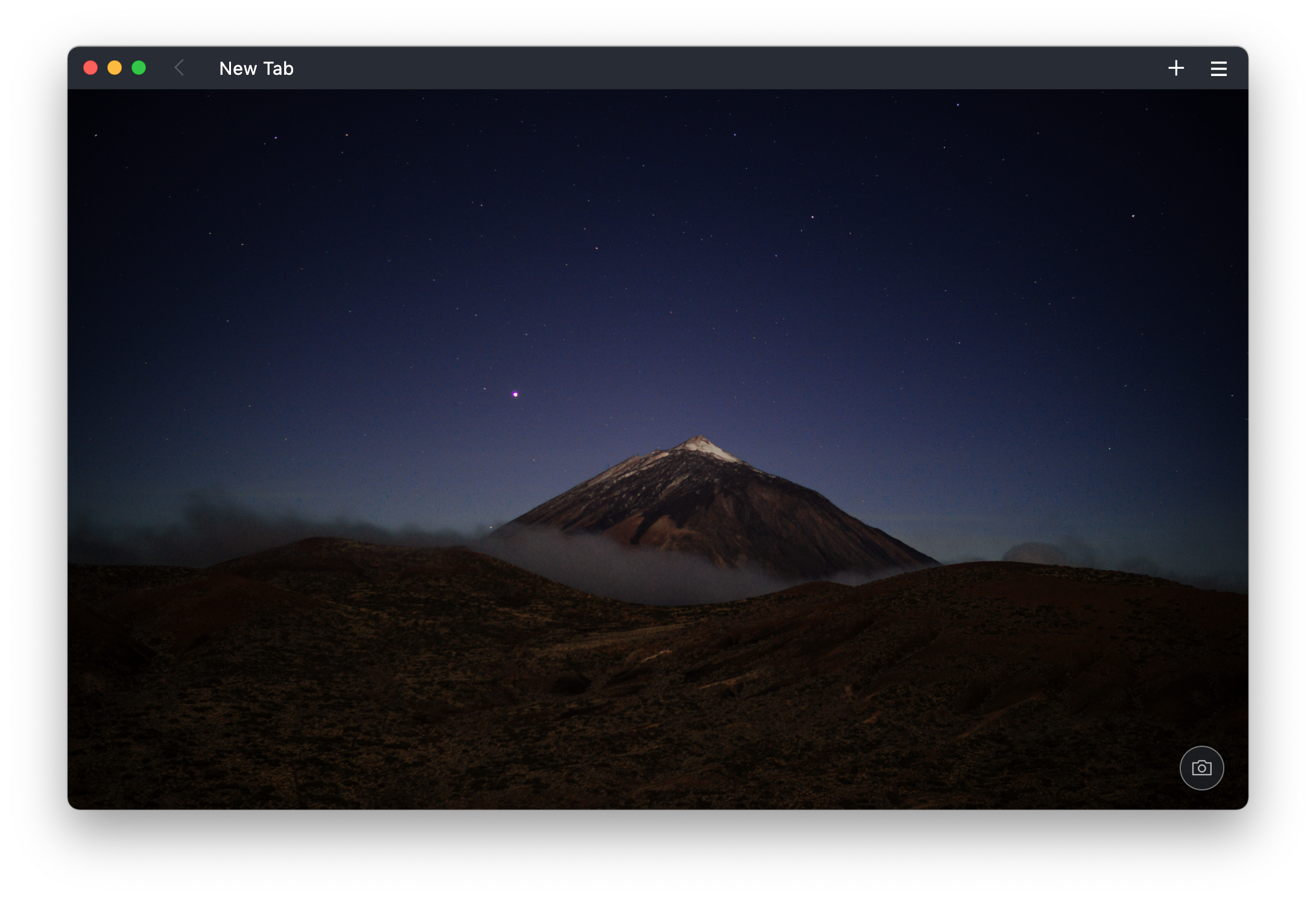
If you're looking for backgrounds, Unsplash has a good set to pick from.
Bug fixes
- Fixed an issue where Min couldn't be installed on Apple Silicon Macs.
- Links inside PDF files now work correctly.
- Fixed an issue where giving sites permission to access the camera and microphone or send notifications wouldn't work in some cases.
- Improved the accuracy of history search results.
- Fixed an issue where pressing cmd-+ would zoom the page in twice.
- Fixed an issue where clicking "show original article" in reader view sometimes wouldn't work.
- Shift+clicking a link now works as expected.
- Updated Japanese translation (by @KagamineP)
- Updated to Chromium 96.
Contributors

KagamineP