Have you wanted to create one of those daily picture videos, but didn't want to align each picture? Well, now you don't have to. Align thousands of pictures automatically. No sifting through documentation and no coding knowledge necessary, simply run one script and enjoy your aligned photos.
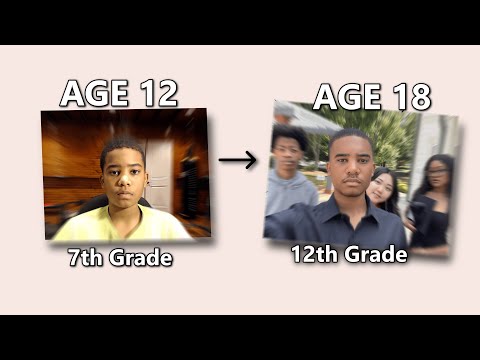
The project was birthed from Hugo Cornellier's video taking a picture everyday from age 12 until he was married. Hugo manually aligned thousands of pictures by hand. While he had the precision he sought, he lost valuable time (not to say his finished product wasn't worth it, it is incredible!). This project automates the countless hours you will otherwise spend editing each individual photo. While another solution exists: Matthew's 'photo a day aligner,' I feel this project is more user friendly (less complex and versatile), as non-programmers can quickly get it up and running by dragging some photos in a few folders, and running a script. Plus, there's no dealing with dlib, as its installation is troublesome for myself and others.
- Install Python, then install the packages in
requirements.txt.
- Verified with Python
3.10.0and MediaPipe0.10.8
- Put unaligned images into the
DailyPhotosFolder. - Choose 1 photo where the face is ideal (scale, position, rotation) and copy it into the
BaseImagefolder. All other photos will be aligned to thisBaseImage.
- This image should be the smallest resolution you have, as images being scaled down appear better than images scaled up (e.g. if you have 2 3000x3000 pictures, 5 1920x1080 pictures, and 3 1280x720 pictures, select your
BaseImagefrom your 1280x720 group)
- Run
main.py. - You can quickly check the output using
slideshow.py. - If you encountered any errors, see known issues, and check the error.txt file.
- Check out my quick guide video on how to run this project if you need help or want to see a demo.
- The script creates a
BaseImageobject instance for the image in theBaseImagefolder. - Each image in
DailyPhotosis then aligned to theBaseImageusing calculated transformations (scale, translate, rotate). - The image is then written to the output path with a suffix and affix in the
AlignedPhotosdirectory.
- This project has only been verified with Python version
3.10.0and MediaPipev0.10.8. - Some images may not ever align properly and will always error. This usually means the face detection algorithm can't find your face. You can try adjusting the contrast on the image, but otherwise you might just have delete them and adjust it manually.
- Rarely, the script will lock onto the wrong face. The new method to find the correct face starts from the center and slowly expands outward, assuming your face is in the center. Try to take all pictures with your face in the center as apposed to anyone else.
- Plays images in an
OpenCv2window given a waitkey to see the finished product having to upload images to a gifmake site.
- Want to contribute, thanks! Feel free to write a pull request or reach out to me for any questions or ideas!
- A few ideas I want to implement that I'm not sure how to in case you'd like to implement them!
- Basic GUI to make this program more accessible to people who don't know how to run python scripts
- In depth error messages for the error.txt file.
- I tried to create an executable using pyinstaller, but I can't get the dependencies to work properly, I think that's a good first issue on this project!
- A gifmaker within slideshow.py might be a good addition.
- If you found this project useful, or interesting, please reach out to me!! This project has been my passion project and it's been a direct representation of my coding growth over the years. I'd love to see how you'd like to use it.
- If you really found this project helpful, if you'd like to support me and this project, feel free to Buy Me A Coffee ;)