


Hardware • What's Working • Kexts • Installation • Guides • Credits
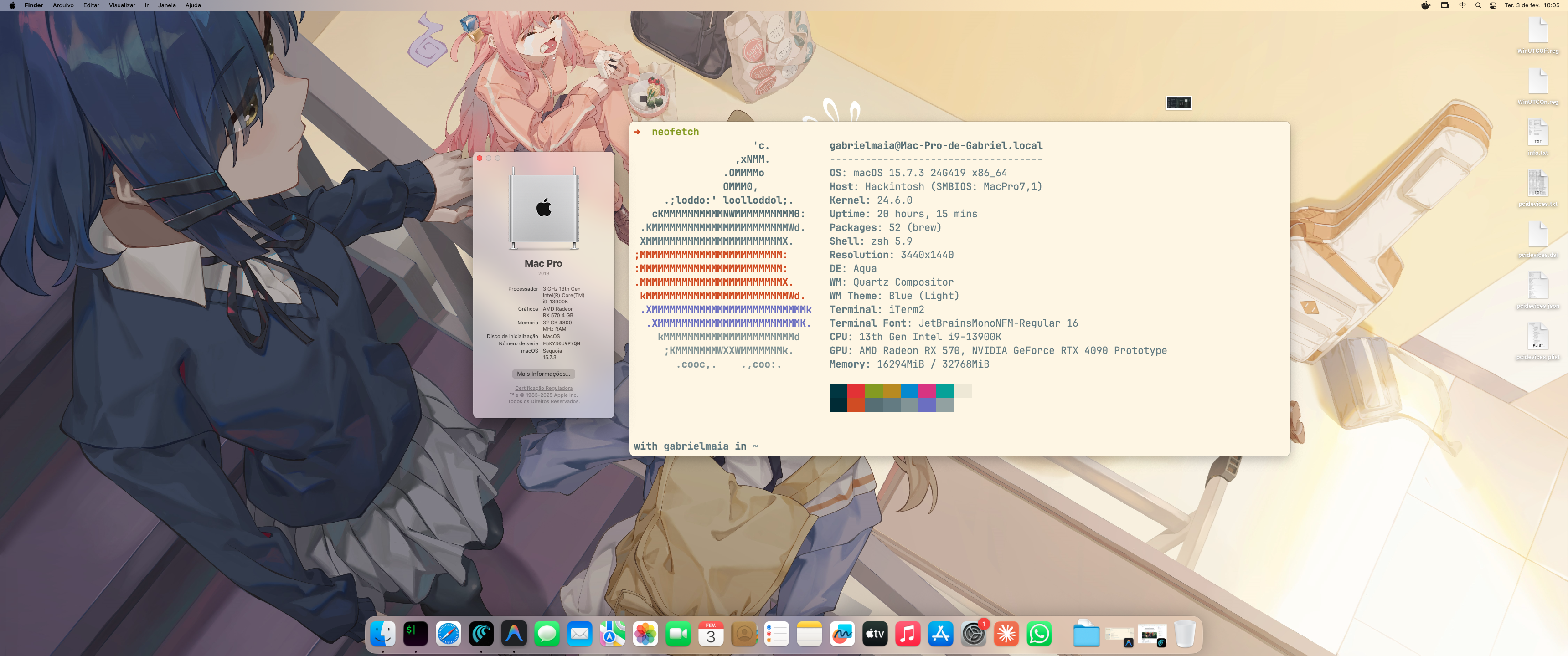
|
|
| Feature | Status | Notes |
|---|---|---|
| macOS Boot | ✅ | High Sierra → Sequoia |
| GPU Acceleration | ✅ | Metal, QE/CI via RX 570 |
| NVIDIA Compute | ✅ | RTX 4090 via NVDAAL |
| Audio | ✅ | ALC4082 via AppleALC |
| Ethernet | ✅ | i226-V via AppleIGC |
| WiFi | ✅ | Intel AX210 via AirportItlwm + OCLP |
| Bluetooth | ✅ | Intel AX210 via IntelBluetoothFirmware |
| Thunderbolt 4 | ✅ | Hot-plug working |
| USB Ports | ✅ | Mapped via USBMap.kext |
| Sleep/Wake | ✅ | S3 sleep working |
| iServices | ✅ | iMessage, FaceTime |
| DRM | ✅ | Apple TV+, Netflix |
| Hardware Sensors | ✅ | VirtualSMC sensors |
| NVMe | ✅ | TRIM enabled |
Intel WiFi Native Support 🛜
We're actively working on getting Intel AX210 WiFi to work natively on macOS Sequoia without HeliPort! Currently using AirportItlwm + OpenCore Legacy Patcher (OCLP) for native WiFi menu support.
The goal is to have full native WiFi functionality including:
- Native macOS WiFi menu ✅
- Location Services ✅
- Handoff & Universal Clipboard ✅
- AirDrop (partial)
Follow the progress and contribute at OpenIntelWireless/itlwm
Click to expand kext list
| Kext | Version | Description |
|---|---|---|
| Lilu | 1.7.2 | Kernel patching framework |
| VirtualSMC | 1.3.8 | SMC emulator |
| SMCProcessor | 1.3.8 | CPU sensors |
| SMCSuperIO | 1.3.8 | I/O sensors |
| WhateverGreen | 1.7.1 | GPU patching |
| AppleALC | 1.9.7 | Audio codec |
| AppleIGC | 1.5 | Intel i226-V ethernet |
| NVMeFix | 1.1.4 | NVMe power management |
| RestrictEvents | 1.1.7 | Event restrictions |
| CPUFriend | 1.3.1 | CPU power management |
| CPUFriendDataProvider | 1.0.0 | CPU frequency data |
| CpuTopologyRebuild | 1.1.0 | CPU topology for P/E cores |
| USBMap | 1.0 | Custom USB port mapping |
| USBWakeFixup | 1.0 | USB wake fixes |
| NVDAAL | 0.1.0 | NVIDIA compute support |
| AirportItlwm | 2.3.0 | Intel WiFi native (with OCLP) |
| IntelBluetoothFirmware | 2.5.0 | Intel Bluetooth firmware |
| IntelBTPatcher | 2.5.0 | Bluetooth patches |
| BlueToolFixup | 2.6.9 | Bluetooth fixes for Monterey+ |
| SSDT | Purpose |
|---|---|
ROG-Maximus-Z790-Hero.aml |
Custom SSDT for Z790 platform |
IPIC IRQ 2 Patch- Fix IRQ conflictsRTC IRQ 8 Patch- Fix RTC conflictsTIMR IRQ 0 Patch- Fix timer conflicts
watchdog=0 npci=0x3000 -wegnoigpu -ctrsmt -btlfxbeta amfi=0x80
| Arg | Description |
|---|---|
watchdog=0 |
Disable watchdog timer |
npci=0x3000 |
PCI configuration fix |
-wegnoigpu |
Disable iGPU (no iGPU on 13900K) |
-ctrsmt |
Raptor Lake SMT compatibility |
-btlfxbeta |
Bluetooth fix beta |
amfi=0x80 |
Allow unsigned kexts (NVDAAL) |
- USB drive (16GB+)
- macOS installer
- ProperTree for plist editing
- GenSMBIOS for serial generation
-
Create USB Installer
# Follow Dortania's guide for your macOS version -
Clone this EFI
git clone https://github.com/gabrielmaialva33/Hackintosh-13900k-z790-ASUS-MAXIMUS-HERO.git
-
Copy to USB
Copy EFI/BOOT and EFI/OC to your USB's EFI partition -
Generate SMBIOS
⚠️ REQUIRED# Run GenSMBIOS and select "Generate SMBIOS" # Choose model: MacPro7,1
-
Edit config.plist
Open with ProperTree and set in
PlatformInfo > Generic:Key Value MLBBoard Serial from GenSMBIOS SystemSerialNumberSerial from GenSMBIOS SystemUUIDSmUUID from GenSMBIOS ROMYour MAC address (no colons) -
Boot and Install!
⚠️ WARNING: You MUST generate unique SMBIOS values. Using this repo's serials will cause conflicts and may block your Apple ID.
| Guide | Description |
|---|---|
| OpenCore Install Guide | Complete installation guide |
| OpenCore Post-Install | Post-installation tweaks |
| GPU Buyers Guide | Compatible GPUs |
| ACPI Patching | SSDT creation |
| USB Mapping | USB port configuration |
| Troubleshooting | Common issues |
- OpenCorePkg - OpenCore bootloader
- OcBinaryData - HfsPlus.efi
- Acidanthera - Lilu, VirtualSMC, WhateverGreen, AppleALC, NVMeFix, RestrictEvents, CPUFriend
- SongXiaoXi - AppleIGC
- b00t0x - CpuTopologyRebuild
- osy - USBWakeFixup

Gabriel Maia 🐦 💼 |

Made with ❤️ by Gabriel Maia
If this helped you, consider giving it a ⭐